Skip to content
MigratezHigh fidelity data migrations

Predictable data migrations that keep your operations intact.

Migratez runs data migrations for CRMs, help desks, project trackers, billing systems and more.

Start with read-only access to the system you are leaving. Nothing moves until you ask for it. How we handle your data.

What we can migrate

Migratez can move your data from or to these systems.

Yours not here? Tell us what you use, and it goes into what we build next.

  • HubSpot
  • Salesforce
  • Zoho
  • Pipedrive
  • Close
  • Attio
  • HubSpot
  • Salesforce
  • Zoho
  • Pipedrive
  • Close
  • Attio
  • HubSpot
  • Salesforce
  • Zoho
  • Pipedrive
  • Close
  • Attio
  • HubSpot
  • Salesforce
  • Zoho
  • Pipedrive
  • Close
  • Attio
  • Zendesk
  • Intercom
  • Help Scout
  • Greenhouse
  • Jira
  • Asana
  • monday.com
  • ClickUp
  • Linear
  • Zendesk
  • Intercom
  • Help Scout
  • Greenhouse
  • Jira
  • Asana
  • monday.com
  • ClickUp
  • Linear
  • Zendesk
  • Intercom
  • Help Scout
  • Greenhouse
  • Jira
  • Asana
  • monday.com
  • ClickUp
  • Linear
  • Stripe
  • Xero
  • QuickBooks
  • Shopify
  • Mailchimp
  • Stripe
  • Xero
  • QuickBooks
  • Shopify
  • Mailchimp
  • Stripe
  • Xero
  • QuickBooks
  • Shopify
  • Mailchimp
  • Stripe
  • Xero
  • QuickBooks
  • Shopify
  • Mailchimp
  • Stripe
  • Xero
  • QuickBooks
  • Shopify
  • Mailchimp
What moves

Everything your new app can hold comes with you.

That includes custom objects, activity history, attachments and the relationships between them, not just the fields your apps share.

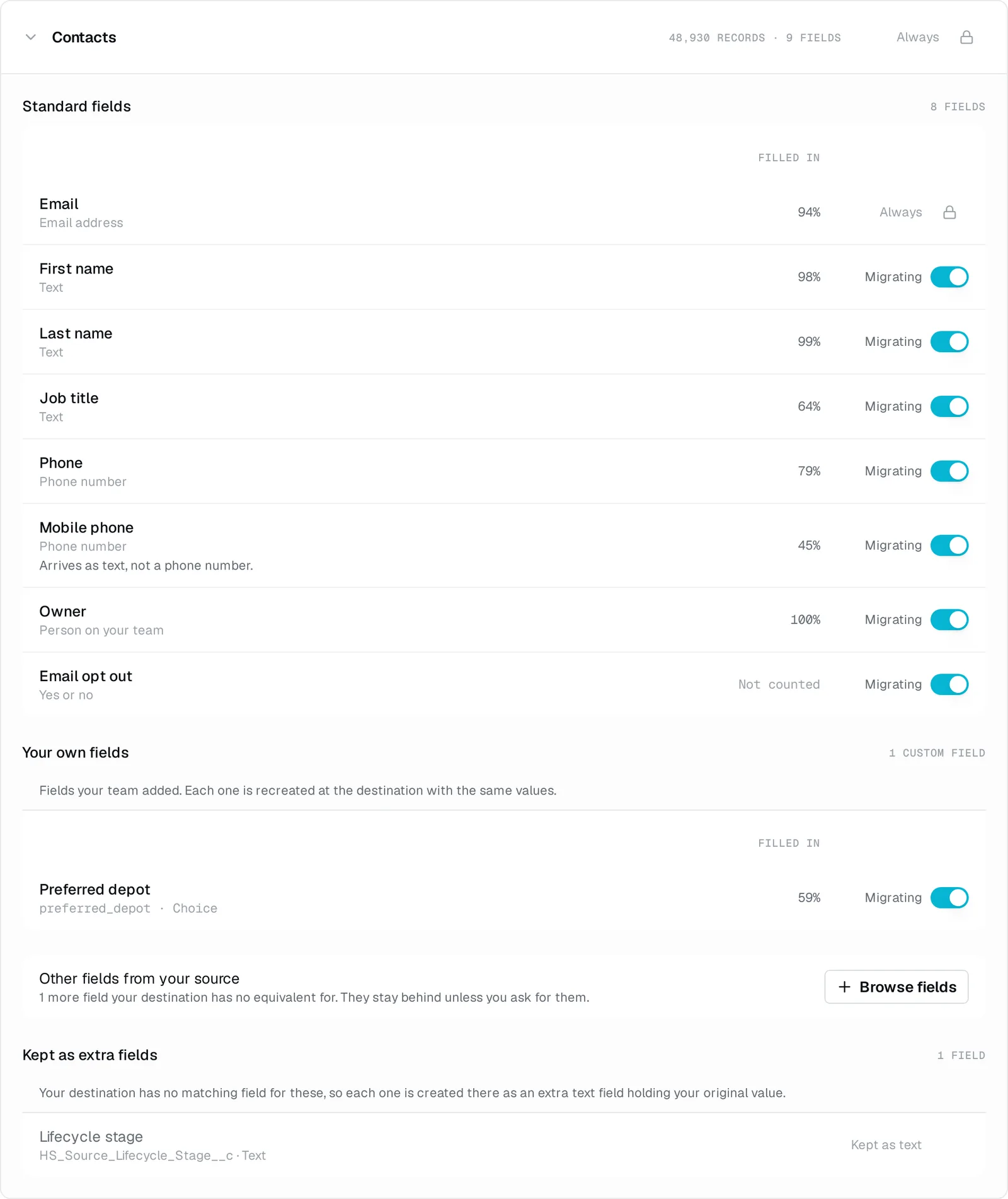
You can leave unused custom fields behind. We can create a destination field for data with no native home. The free assessment shows what will land before you commit.

No.What arrivesIn
01

Relationships, not just records

Deals stay attached to the right contacts and companies, activities stay attached to the right records, and the links between them are rebuilt on the other side.

02

Your custom fields come with you

They are found on the source and created on the destination before any record is written. Not flattened into a notes field.

03

History, not just the current state

Notes, calls, emails and meetings, with their file attachments, owners and timestamps intact.

04

Owners, pipelines and stages are reconciled

Matched to the destination's users and stages rather than reset to a default.

05

Nothing is silently rewritten

Where a conversion is genuinely lossy, the original value is carried across alongside it, so you can always see what the data was before we touched it.

06

A field with no home is brought along

If the destination has no native place for something you use, we can create one for it rather than drop it.

07

You see the whole map before you commit

The free assessment reports what is actually in your source, every object's record count and every custom field's fill rate, and the plan shows how each field will land.

08

We name the ceiling before you pay

Where a destination genuinely cannot hold something, we say so up front, checked against that vendor's own documentation. Nothing surfaces in month two.

If something goes wrong

You can undo it in one action. If a migration stops, it resumes where it left off.

Reversible

Every write to the destination is recorded, so one action takes the records we wrote back out again, in reverse. If it isn't what you expected, restore and retry.

Resumable

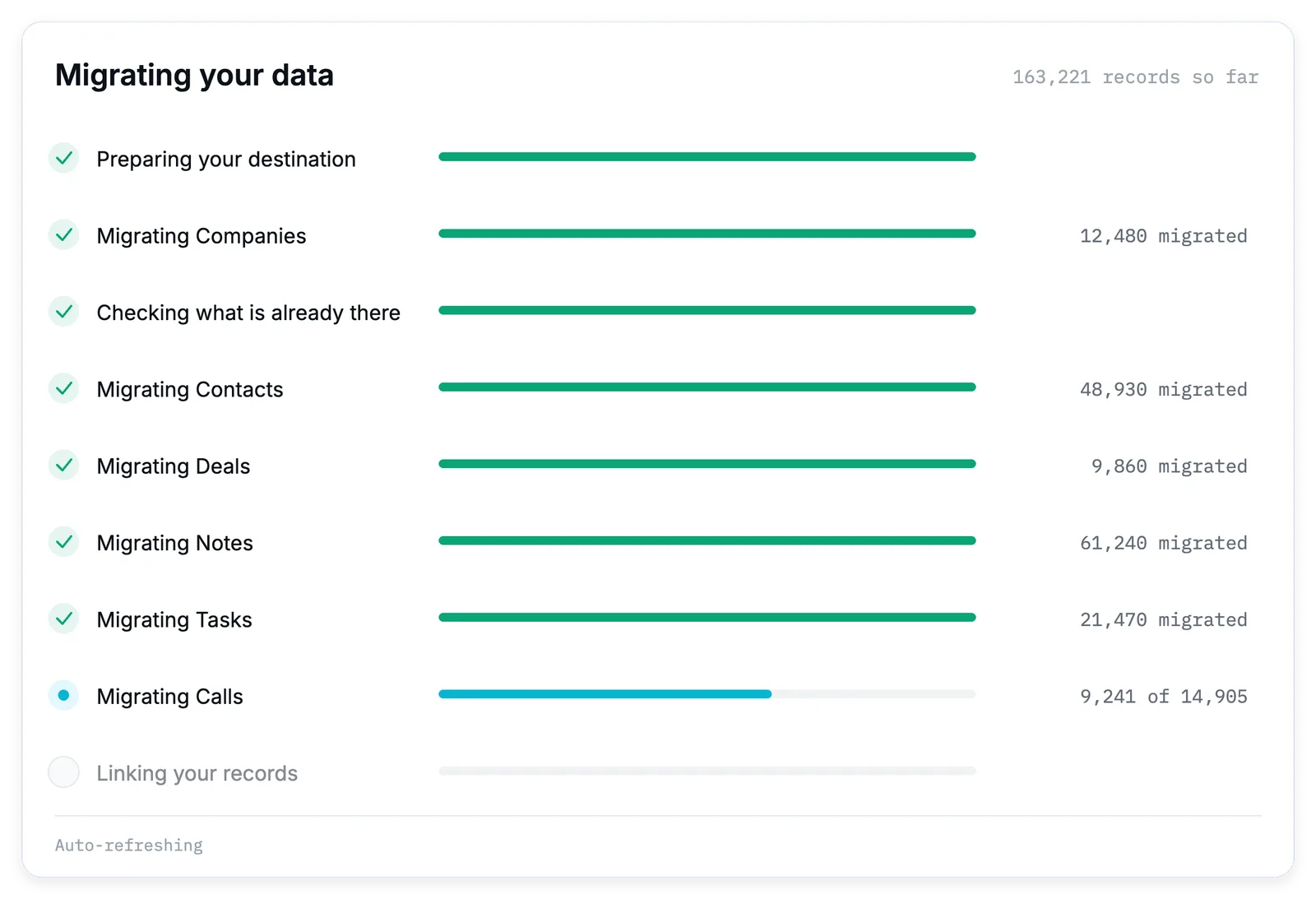
The run is checkpointed. A stop, an error or an API limit pauses it rather than killing it. No data lost, and nothing written twice.

Read-only at the source

Nothing is ever written back to the system you are leaving. We only read it.

No duplicates on a re-run

Every migrated record carries a hidden anchor to its original, so a second run updates what it already created rather than twinning it.

A 30-day money-back guarantee, from the day your migration completes. Read the terms.

Who runs this

Migratez is new, and I run every migration myself.

I am Sushant. I built this, and I am the one who runs it.

The assessment is automatic and free, and you run it yourself. I run the migration, and I am who you get if anything goes wrong afterwards. My email, not a ticket number.

None of that depends on trusting me, either. I only read the system you are leaving. You see the plan and the price before I write anything.

Sushant GuptaFounder

Questions before you connect anything? Ask me. I answer my own email.

How it works

Six steps, and a person on the other end.

No.

Step

  1. 01

    Create

    Pick what you are migrating from and what you are migrating to.

    You
  2. 02

    Connect

    Sign in to the app you are leaving with read-only access. That one connection gives you your record count and price. Connect the destination next. It needs read and write access so we can set up the fields your data needs before moving any records.

    You
  3. 03

    Assess

    The source assessment reports every object's record count and every custom field's fill rate. Your price is based on the record count. After you connect the destination, we check what it can hold. Nothing is written to either system during either assessment.

    Automatic, and free
  4. 04

    Review and plan

    You already have the price. This is where you get a read-only field map, the option to drop fields you no longer use or bring along ones with no native home, and a preview of what will be added to the destination.

    You
  5. 05

    Run

    I run it and stay reachable while it does. You can follow its progress step by step.

    Me
  6. 06

    Verify and switch over

    Check the destination, pick up anything that changed in the source since, and switch over. Or undo it and retry.

    You, with me

Create a Migratez account, connect the app you are leaving, and see what is in it and what it costs. Nothing moves until you ask for it.