01What happens to my call and meeting history?
There is none to move, and the reason is Attio's shape rather than ours. Attio has no record for a call, an email or a meeting. What it keeps instead is a handful of interaction timestamps on a person or a company, first and last email and first, last and next calendar event, which the Attio system maintains and nothing can write. So there is nothing to hand over one at a time. Salesforce has a place for calls, emails and events, and it will be empty of your Attio history. Your notes and tasks come across in full.
02Why do my notes land as tasks?
Because that is where they stay readable and reportable. Salesforce keeps a modern note as a file rather than as an activity, which puts the text out of reach of reports and list views. Landing your Attio notes as tasks on the record they belonged to keeps the text, the date and the record it was about, all of which a Salesforce report can see.
03Will the attributes I added in Attio come across?
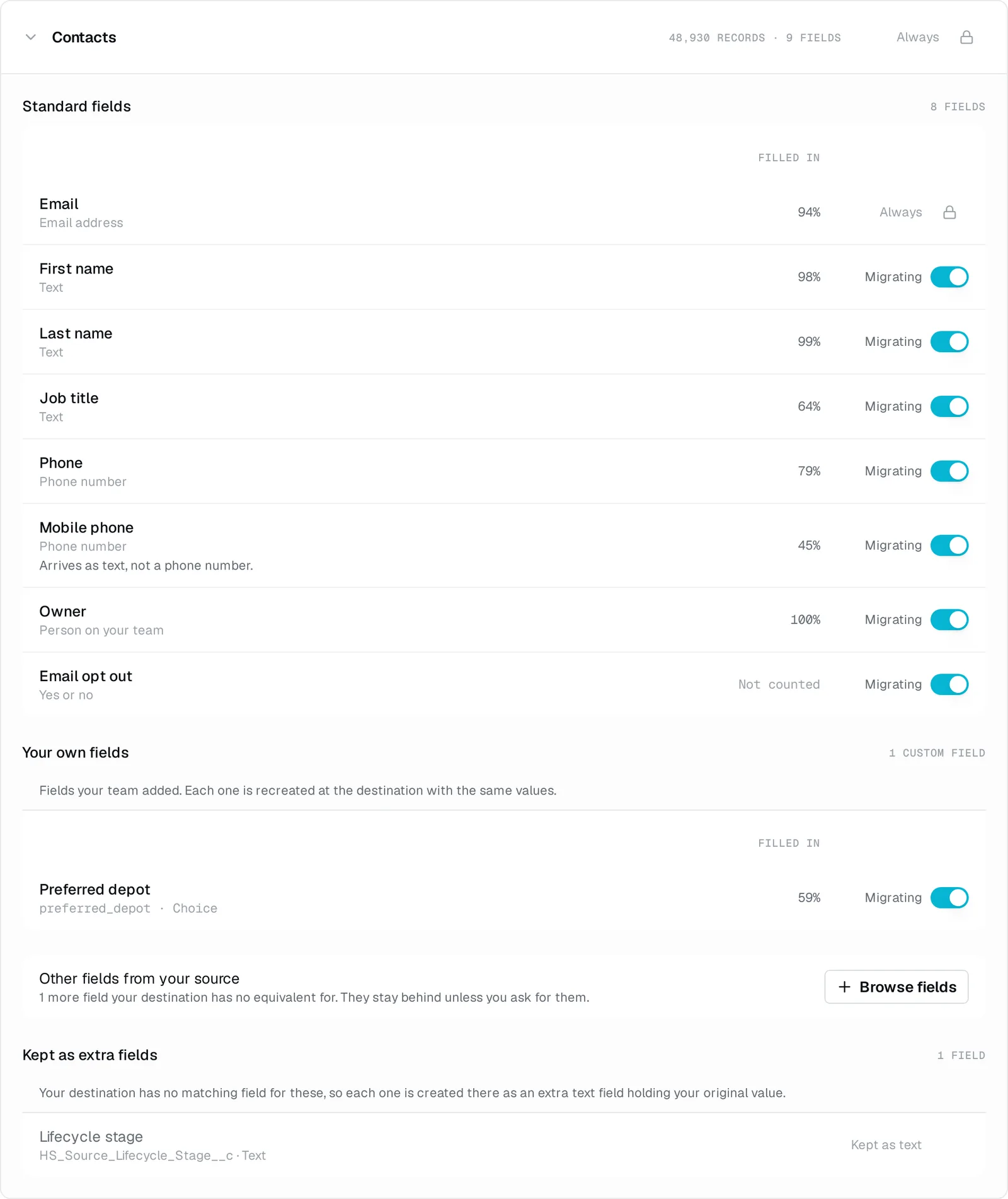
Yes. The free assessment finds them in your workspace, and they are created as custom fields on the matching Salesforce object before records are migrated. You see that on your plan before anything runs, and you can drop the attributes nobody fills in any more rather than carry them over.
04What about the objects I added to my workspace?
Each one becomes a Salesforce custom object, with its records and the attributes you use on them. The free assessment counts them against your edition's object and field allowances before you commit.
05What happens to my deal stages?
Your deals are routed onto the opportunity stages your Salesforce org already has rather than into new ones we create, matched by what each stage meant. Attio keeps one ordered list, so there is one set of stages to place rather than several funnels. A stage with nowhere to go is named before the run rather than discovered during it.
06Who owns my accounts and contacts afterwards?
Attio models ownership on the deal and has no owner on a company or a person, so there is nothing in your workspace to fill the Salesforce owner field on those records. Your deal owners come across and are matched to your Salesforce users by email. On accounts and contacts you name who they should belong to, rather than us inventing an answer.
07What about products and the value on my deals?
An Attio deal carries a single value rather than priced lines, and Attio ships no catalogue object, so there is no price book and there are no opportunity line items to bring. The value on each deal comes across. One thing worth knowing is that an Attio workspace holds one currency per attribute rather than one per record, so every opportunity arrives in that same currency.
08Do I have to build a field map?
No. We work out what each value becomes, so nobody builds a field map. You review the plan before the migration runs. An Attio attribute with no native home in Salesforce can be brought along as a new field instead of being left behind.
09Who actually runs the migration?
We run the migration and stay reachable. Connect Attio for the free assessment and price, then Salesforce to complete the plan. Nothing moves until you ask.
10Can I keep working in Attio while this happens?
Yes. We only read Attio and never write back to it. Keep working while you check the results, then bring across the latest changes before switching over.
11What if the result is not what I expected?
You can undo the migration, correct the issue and run again. Created fields, shared catalogue data and any other items listed as retained stay in place.
12What does it cost?
One payment, based on the records that move. The free assessment of Attio gives you the exact count and price before you commit. Payment is by invoice, with no subscription.