
Skip to content
crm migration
HubSpot CRMSalesforce CRM

Move your HubSpot CRM data into Salesforce CRM

Your custom fields, your history, your relationships. Not only the fields both apps happen to have in common.

Start free assessment
What moves

What lands in Salesforce CRM, with its history and attachments.

HubSpot CRM

Companies
Accounts
Contacts
Contacts
Deals
Opportunities
Notes
Tasks with the files still attached
Calls and emails
Tasks
Meetings
Events with the files still attached
Deal pipelines and stages
Opportunity stages a stage with no match is created rather than dropped
Owners
Matched to your Salesforce users
Custom properties
Created as custom fields on the object they belong to
Associations between records
Salesforce relationships and junction records
Attached files
Salesforce Files
Start free assessment
What comes across

Comprehensive by default, customizable on request.

Relationships, not just records

The graph survives. Deals stay attached to the right contacts and companies, activities stay on the record they belong to, and many-to-many links are rebuilt in Salesforce CRM.

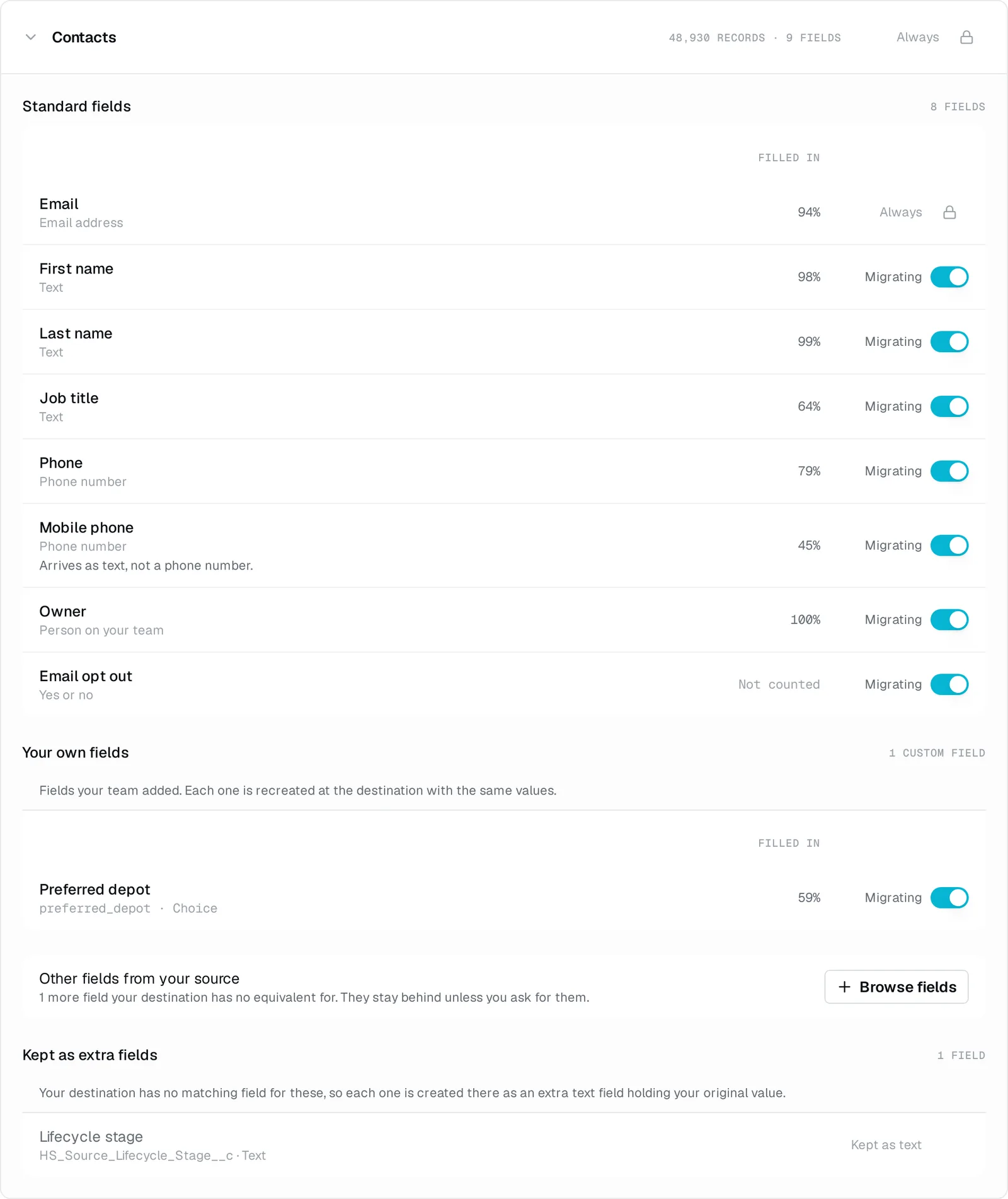
Your custom fields come with you

They are found in HubSpot CRM and created in Salesforce CRM before a single record is written. Not flattened into a notes field.

History, not just the current state

Notes, calls, emails and meetings, with their file attachments, owners and timestamps intact.

Owners, pipelines and stages are reconciled

Matched to your Salesforce CRM users and stages rather than reset to a default.

Nothing is silently rewritten

Where a conversion is genuinely lossy, the original value comes across alongside the converted one, so you can always see what the data was before we touched it.

A field with no home is brought along

If Salesforce CRM has no native place for something you use, we can create one for it rather than drop it.

And if it goes wrong

Every write can be undone, and a stop is only a pause.

Undo the whole thing

Every write into Salesforce CRM is recorded, so one action reverses the migration. If it is not what you expected, restore and retry.

Paused, not lost

A stop, an error or an API limit pauses the run at its last checkpoint rather than killing it. Nothing is lost and nothing is written twice.

Read-only in HubSpot CRM

Nothing is ever written back into HubSpot CRM. It is the system you are leaving, and we only read it.

A last catch-up before you switch over

After the main load, one action brings across everything that changed in HubSpot CRM since, so you can verify with both systems live and then switch over.

What an undo takes back out

In Salesforce CRM after the migration

Every record we wrote
Removed
The history and attachments that came with them
Removed
The custom fields we created to hold them
Left in place, emptyHidden from your page layouts. We can clear them up separately, on request.
FAQ

Questions about moving HubSpot CRM to Salesforce CRM

Will my HubSpot custom properties come across?
Yes. The free assessment finds them in HubSpot, and they are created as custom fields on the matching Salesforce object before a single record is written. You see that mapping before anything runs, and you can drop the custom properties nobody fills in any more rather than carry them over.
What happens to my notes, calls, emails and meetings?
Notes, calls and emails land as Salesforce Tasks, and meetings land as Events, each one on the record it belongs to. The file attachments, owners and timestamps come with them.
Do my deal pipelines and stages survive?
Your HubSpot deal stages are matched to Salesforce Opportunity stages, and a stage with no match in Salesforce is created rather than dropped. Where you would rather two HubSpot stages landed on one Salesforce stage, we set that up with you before the run.
Do I have to build a field map?
No. The mapping is written for this one direction and shown to you before anything runs, so your part is reviewing it rather than assembling it. A HubSpot field with no native home in Salesforce can be brought along as a new field instead of being left behind.
Who actually runs the migration?
You create an account, connect both apps, and get the free assessment. Our team runs the migration itself and stays reachable while it does. Nothing moves until you ask for it.
Can I keep working in HubSpot while this happens?
Yes. Nothing is ever written back into HubSpot, we only read it. After the main load, one action brings across everything that changed in HubSpot since, so you can verify with both systems live and switch over when you are ready.
What if the result is not what I expected?
Every write into Salesforce is recorded, so one action takes every record we wrote back out again. You can sort out what was wrong and run it again.
What does it cost?
One price, one time, based on how many records the migration moves. The free assessment counts them in your HubSpot and gives you the exact price before you commit to anything. There is no subscription and no card form.

Next step

Create an account, connect HubSpot CRM and Salesforce CRM, and see what will come across before you commit to anything. Nothing moves until you ask for it.

Start free assessment